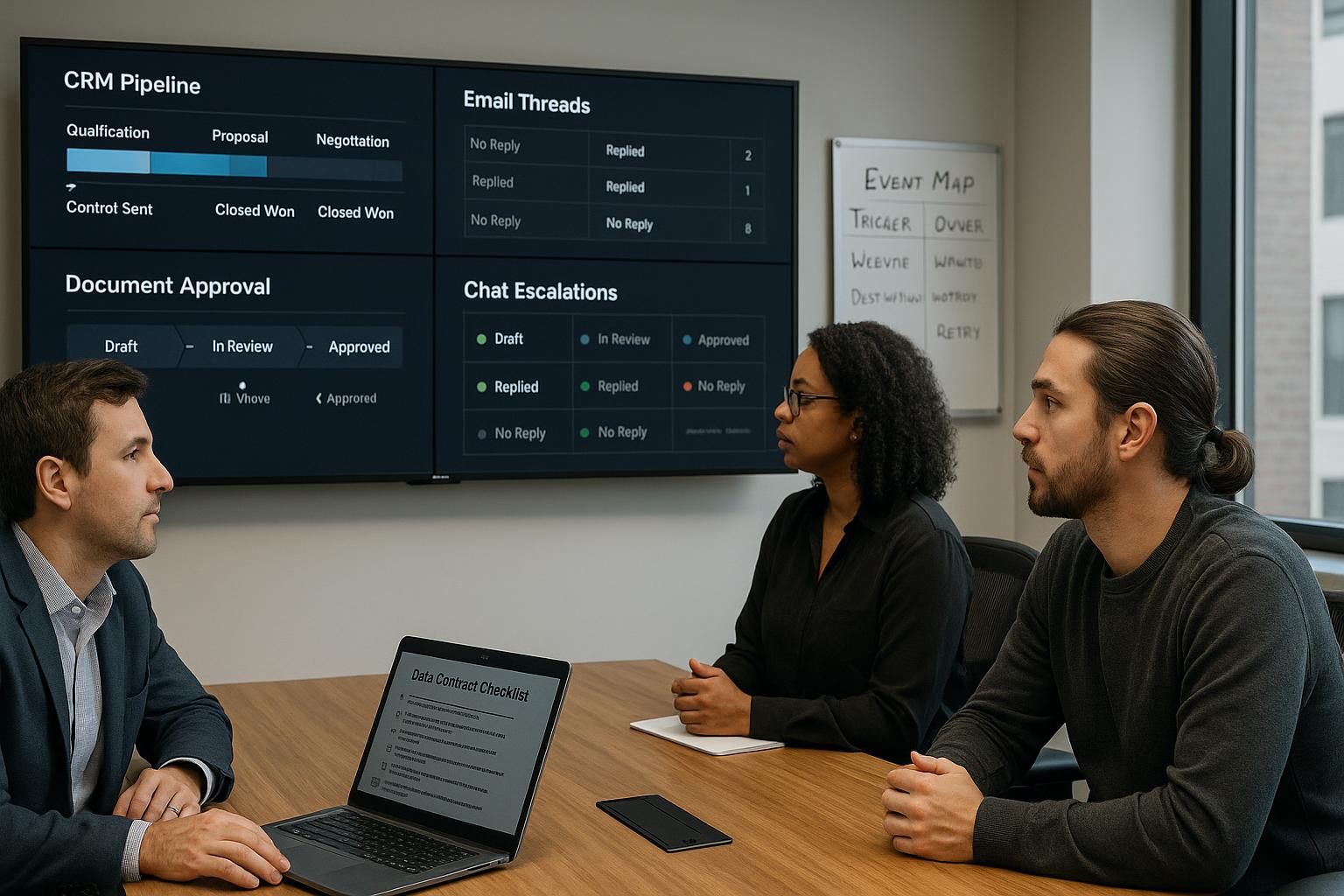
How to Integrate CRM, Email, Docs, and Chat Without Breaking Daily Work Most companies do not fail with how to integrate crm, email, docs, and chat without breaking daily work because the technology is weak. They fail because execution is fuzzy, ownership is split, and measurement starts too late. The practical path is straightforward: define the operating problem in business terms, assign one accountable owner, constrain the first release, and instrument outcomes from day one. If you are responsible for delivery, you need an operating article rather than a trend summary. This playbook is written for that reality. It assumes teams are busy, systems are imperfect, data quality is mixed, and leadership still expects measurable progress within a quarter. The first decision is not which model or vendor to buy. The first decision is where process friction is concentrated enough that improvement becomes visible in weekly metrics. When you choose a workflow with recurring volume and repeated handoffs, gains compound quickly and survive leadership scrutiny.
Execution blueprint for teams that need results this quarter
For how to integrate crm, email, docs, and chat without breaking daily work, your first release should be narrow enough to run within 30 to 45 days, yet meaningful enough to affect a metric leaders already track. This keeps sponsorship active and gives delivery teams space to harden the system before broader exposure. Implementation detail matters at the interface boundary. Define exactly where data enters, how it is normalized, which fields are mandatory, and how failures are surfaced to users. Vague integration assumptions are a top-three cause of pilot delays. Document owner decisions in plain language: why this rule exists, when it can be bypassed, and who approves changes. Decision logs reduce institutional memory loss and make onboarding faster when teams rotate responsibilities.
Start with the workflow economics, not the tool catalog
Map the workflow from intake to completion and count where work waits. Delay is usually created by queue ambiguity, manual re-entry, and exception handling that has no clear owner. Each delay point should be measured in hours and in cost of delay, not just in anecdotal frustration. A reliable baseline has five numbers: volume per week, median cycle time, rework rate, escalation rate, and customer-visible error rate. Without these numbers, any pilot can look successful because there is no denominator. With these numbers, you can defend investment decisions and stop low-value experiments quickly. In one professional-services team, proposal preparation averaged 14 business days because analysts manually stitched prior language and compliance notes. After introducing retrieval with approved clauses and a guided drafting step, cycle time dropped to 8 days while compliance corrections declined by 37 percent. The visible win came from process design, not model novelty.
Build a delivery lane that survives real operations
A production lane needs explicit boundaries: what the system will automate, what it will recommend, and what must remain human-approved. Teams that skip this boundary design create hidden risk and eventually lose trust when one edge case causes an avoidable incident. Use staged confidence thresholds. High-confidence low-risk tasks can be auto-completed, medium-confidence tasks should be routed with suggested actions, and low-confidence outputs must be blocked and escalated. This policy structure gives teams speed without pretending uncertainty does not exist. Treat exception handling as a first-class product requirement. Every exception should capture cause, route, owner, and closure time. Exception data is your fastest path to quality improvement because it reveals where prompts, retrieval, data mapping, or policy assumptions are breaking under operational pressure.
Define governance as a weekly operating rhythm
Governance is not a quarterly slide deck. It is a recurring operating rhythm where product, engineering, security, and business owners review incidents, drift indicators, blocked work, and planned changes. Weekly cadence prevents risk accumulation and keeps delivery velocity intact. The minimum governance packet should include output quality trend, override frequency, policy violations, unresolved exceptions, and customer impact notes. Keep it short, evidence-based, and tied to decisions. If a metric does not influence a decision, remove it. When teams adopt this rhythm, approvals become faster because stakeholders see evidence continuously instead of being surprised at release gates. In practice, this shortens compliance conversations and reduces late-stage rework that destroys delivery confidence.
Instrument adoption and behavior, not just model accuracy
Many teams celebrate benchmark scores while users quietly bypass the system. Operational adoption depends on whether the assistant or automation reduces cognitive load in the exact moment a decision is made. Instrument usage depth, assisted completion rates, and manual fallback reasons. Create a role-specific success view. Executives need throughput and risk indicators, team leads need queue and exception pressure, and frontline staff need response quality and handoff clarity. One dashboard cannot satisfy all three audiences, so build tiered reporting intentionally. In a support environment, introducing assisted summaries improved first-response time only after teams redesigned ticket templates to fit the new workflow. Before template redesign, the model was accurate but adoption stalled because agents still needed extra clicks and manual formatting.
Scale through reusable patterns, not one-off heroics
After the first workflow stabilizes, package what worked: guardrail patterns, prompt libraries, evaluation harnesses, integration adapters, and rollout checklists. Reuse shortens future delivery cycles and prevents every team from relearning the same expensive lessons. Create a prioritized expansion queue scored by business impact, implementation complexity, data readiness, and risk class. This queue should be reviewed monthly with finance and operations present. Cross-functional scoring prevents politically popular but low-return initiatives from consuming scarce engineering capacity. A disciplined scaling model usually adds two to four workflows per quarter with higher reliability than broad unfocused launches. The point is not maximum pilot count. The point is sustained business value with manageable operational risk.
90-day implementation sequence
Weeks 1 and 2 should focus on scope control and baseline capture. Freeze success metrics before any prompt tuning starts. Teams that change metrics midstream lose comparability and trigger avoidable stakeholder disputes. Weeks 3 and 4 should deliver a working thin slice connected to live but limited data. Do not wait for perfect integration. Use constrained production exposure and collect error classes aggressively. Weeks 5 and 6 should prioritize exception pathways, approval logic, and auditability. This is where most pilots either mature into operations or collapse under edge-case load. Weeks 7 and 8 should harden reporting, role-based permissions, and rollback procedures. Reliability is operationally defined by how quickly teams can detect and recover from bad outputs. Weeks 9 and 10 should expand controlled adoption to additional users while comparing cohort performance against baseline. Expansion without cohort comparison hides degradation. Weeks 11 and 12 should finalize scale/no-scale decision packets with financial impact, risk profile, and required platform investments. Decisions should be evidence-led, not enthusiasm-led.
Common failure modes and direct countermeasures
Failure mode: leadership asks for enterprise rollout before one workflow is stable. Countermeasure: enforce a readiness gate requiring sustained performance over at least four operating weeks. Failure mode: teams optimize prompt quality but ignore upstream data defects. Countermeasure: implement schema validation and data quality alerts before broad user onboarding. Failure mode: no one owns the business process after go-live. Countermeasure: assign a process owner with authority over policy, exception budgets, and SLA trade-offs. Failure mode: legal and security reviews happen only at launch. Countermeasure: include both functions in weekly operating reviews with pre-agreed control evidence templates. Failure mode: teams claim time savings but cannot tie them to throughput or revenue. Countermeasure: connect operational metrics to financial reporting definitions used by finance.
Why integrations fail even when each tool works fine
Most integration programs do not fail because CRM, email, docs, or chat are unreliable tools. They fail because teams treat integration as data transport instead of operating design. Moving data from one system to another does not guarantee that ownership, timing, and decisions will stay coherent. Without that coherence, teams still chase status manually and errors still leak into client-facing work. When I review broken integrations, the same pattern appears: each team optimizes its own workflow and assumes cross-tool behavior will align automatically. Sales updates CRM fields one way, delivery annotates docs another way, support communicates in chat threads with no durable mapping to record state, and leadership expects a single source of truth to emerge by magic. It never does. Integration must be designed as one shared operating model with explicit boundaries and accountability. The practical objective is simple: one business event should trigger one predictable sequence across systems with clear owner visibility. If the same event creates different interpretations in different tools, your integration is not complete even if APIs are connected.
Define system roles before writing integration logic
Start by assigning clear roles to each system. CRM should own structured commercial records and lifecycle stage truth. Email should own formal communication history where legal and client commitments are made. Docs should own working artifacts, proposals, and delivery references. Chat should own rapid coordination and escalation signals, not final source-of-truth decisions. If these roles are not explicit, duplicate truth islands appear within weeks. For each key entity (lead, account, opportunity, project, request, invoice), define a primary system of record plus permitted mirrors. Mirrors are acceptable for usability, but edits in mirror systems must either be blocked or routed through controlled synchronization rules. Silent two-way edits across multiple systems create drift and trust loss. I recommend publishing this role model as a one-page "system contract" available to all delivery functions. It sounds basic, but this single artifact eliminates a large portion of ownership disputes that usually surface only after production rollout.
Event-driven workflow map: from lead signal to closed delivery loop
Integration quality improves when you model workflow as events, not as tools. Take a common path: inbound qualified lead arrives, opportunity is created, discovery packet is prepared, proposal is approved, delivery request is opened, milestone updates are shared, invoice is issued, and payment is confirmed. Each step should have one triggering event, one authoritative owner, one persistence target, and one notification path. Build an event catalog with fields: event name, trigger source, required payload, destination systems, owner, retry behavior, and failure escalation route. This catalog becomes your integration backbone and dramatically reduces ad-hoc coupling between teams. Do not skip failure semantics. If CRM write succeeds but doc link generation fails, what happens? If email send fails after opportunity stage changed, how is rollback handled? A robust event map answers these questions before incidents happen.
Data contracts that keep CRM and collaboration tools aligned
Every cross-system flow should rely on explicit data contracts. Define required fields, enum values, timestamp format, identity keys, and allowed nullability. If one system accepts free text where another expects controlled values, mapping drift is guaranteed. Controlled vocabularies are not bureaucracy here; they are integration reliability controls. Version your contracts. Schema changes are inevitable as teams mature workflow. Without versioning, you cannot safely migrate integrations or diagnose regressions. Add contract version metadata to payload logs so incident debugging can trace exactly which schema variant caused a break. Set freshness requirements by field criticality. Opportunity stage might need near-real-time sync, while internal activity logs can tolerate delay. Defining freshness classes helps teams choose the right integration mechanism and avoids overengineering low-value synchronization paths.
Ownership model for cross-tool operations
Integration programs need named ownership at three layers. Business process owner defines policy and success outcomes. Integration owner controls pipelines, schema mapping, and error handling. Application owners maintain local configuration and quality in each system. If one layer is missing, escalations bounce between teams and incident recovery slows down. Create a weekly integration operations review with fixed agenda: failed events by class, data mismatch incidents, unresolved owner conflicts, and upcoming schema changes. Keep it short and decision-focused. Integration health decays when governance is occasional and reactive. Also define an on-call escalation path for high-impact sync failures. When client-facing updates depend on integration events, delayed response can become reputational damage quickly. Clear escalation ownership is part of delivery quality, not optional support overhead.
Practical automation opportunities that do not break daily work
The safest early wins come from automations that reduce manual copying without changing high-risk decisions. Examples: create standardized doc folders when opportunity enters qualified stage, auto-link proposal template with CRM account context, publish milestone digest to chat channel from project state changes, and generate summary emails from approved delivery notes. Each automation should include a visible trace. Users must know what ran, when it ran, and what source data it used. Invisible automation creates suspicion when outputs look wrong. Traceability builds trust and speeds correction. Avoid automating policy decisions in phase one. Keep pricing approvals, contractual commitments, and critical SLA exceptions human-gated until data quality and event reliability are proven over time.
Email and chat integration: preserving signal while reducing noise
Email and chat are where context is richest and messiest. Integration should capture key decisions and commitments without importing every message into operational records. Use extraction rules: only tagged decision emails, approved milestone updates, and client-confirmed action items should become structured records. For chat, define command or form-based capture patterns for critical updates. Free-form chat logging into CRM often pollutes records. Structured capture in chat allows speed while keeping data quality acceptable. Provide a "promote to record" mechanism in both channels so teams can elevate important context intentionally. This is better than blanket sync and keeps operations usable.
Document system integration without version chaos
Docs are essential but often become version entropy centers. Tie document generation and storage to lifecycle events with deterministic naming conventions. Include account/project identifier, artifact type, and version marker in every canonical file path. Lock edit permissions on finalized commercial and compliance artifacts, and route revisions through explicit change requests. If finalized artifacts remain freely editable, audit trails weaken and downstream reporting becomes unreliable. Maintain a document index in the system of record rather than relying on folder browsing. Owners should be able to see at a glance which artifact is current, who approved it, and which delivery item it supports.
Quality monitoring for integration reliability
Track integration health with operational metrics, not only technical uptime. Measure successful event completion rate, median end-to-end propagation time, mismatch incident count, duplicate-record rate, and manual correction volume. These indicators show whether integration is reducing work or quietly creating hidden overhead. Segment metrics by workflow criticality. A delayed internal annotation is not equivalent to a failed invoice status update. Prioritized monitoring prevents alert fatigue and keeps teams focused on business-critical failure modes. Publish weekly integration scorecards to both technical and business owners. Shared visibility reduces blame dynamics and keeps optimization aligned with outcomes.
90-day rollout for CRM + email + docs + chat integration
Weeks 1-2: define system roles, event catalog draft, data contracts, and ownership matrix. Validate with sales, delivery, finance, and support representatives. Weeks 3-4: implement thin-slice event path for one workflow (for example qualified lead to discovery packet). Add full logging and failure alerts from day one. Weeks 5-6: extend to proposal and delivery handoff events. Introduce document indexing and chat capture patterns for key operational decisions. Weeks 7-8: add commercial event linkage (estimate, invoice, payment status visibility) and implement mismatch remediation routines. Weeks 9-10: expand to additional teams with role-based training and runbook onboarding. Compare manual correction rates pre/post rollout. Weeks 11-12: stabilize, close recurring failure classes, and prepare scale decision packet with operational and commercial impact evidence.
Failure patterns and direct countermeasures
Pattern: two systems both act as source of truth for the same field. Countermeasure: assign single authority and enforce write boundaries. Pattern: integrations succeed technically but users still copy data manually. Countermeasure: redesign workflow entry points and training around event-driven usage. Pattern: chat integration floods records with noise. Countermeasure: use structured capture and explicit promotion rules. Pattern: schema changes break pipelines silently. Countermeasure: contract versioning plus drift alerts and change review gates. Pattern: leadership sees activity but cannot link to outcomes. Countermeasure: publish business-aligned scorecard with throughput, error, and commercial metrics.
A practical checklist for your next 10 working days
Day 1: lock system role contract. Day 2: define one end-to-end event path. Day 3: publish data contract v1. Day 4: set owner matrix and escalation policy. Day 5: deploy thin-slice integration with logging. Day 6: validate mismatch handling. Day 7: tune chat/email capture rules. Day 8: connect doc indexing to lifecycle events. Day 9: run governance review and close top two failure classes. Day 10: publish scorecard and decide expand vs stabilize. If this checklist is incomplete, do not scale integration breadth. Integration should reduce operational friction, not move it from one tool to another under a more complex architecture label.
Executive integration review template for monthly steering
Use a one-page executive review to keep integration governance grounded in outcomes. Section one should show operational throughput impact: cycle time shifts, manual correction trend, and event completion reliability. Section two should show commercial integrity signals: estimate-to-invoice continuity, invoice delay trends, and payment visibility lag. Section three should show risk state: top unresolved mismatch classes, schema changes planned next month, and mitigation ownership with due dates. Keep language brutally direct. If one integration path is still brittle, write it plainly and define containment action. If teams are bypassing automation and returning to manual updates, show the adoption gap with evidence and root cause. Steering meetings fail when status sounds positive but hides operational reality. Honest reporting is faster than optimistic ambiguity. Close each review with exactly three decisions: one scale action, one stabilization action, and one governance action. More than three decisions usually means prioritization failed. The goal is steady operational improvement, not governance theater. Before ending the month, publish one client-visible improvement linked to the integration program, such as faster proposal turnaround or cleaner milestone communication. This protects sponsorship because stakeholders can see that integration work improves real delivery outcomes, not just internal architecture diagrams. If you want an extra reliability layer, run a monthly integration fire-drill. Simulate one realistic failure path, for example CRM stage update failure during high-volume intake, and test detection, owner response, communication, and recovery timing end to end. Fire-drills reveal weak points that normal operations can hide, especially around escalation handoffs and cross-team ownership boundaries. Teams that rehearse recovery consistently resolve real incidents faster and with less customer impact. Also track integration debt as a visible backlog, not as hidden engineering pain. List recurring workaround scripts, manual reconciliation steps, unstable field mappings, and alert rules with high false-positive rates. Assign owner and target closure date to each debt item. Without this debt ledger, teams gradually normalize brittle behavior and call it "business as usual." A visible debt backlog keeps leadership aware of the true operating cost and prevents reliability erosion over time. Finally, treat integration documentation as living operational content. Keep runbooks short, versioned, and linked directly from dashboards where incidents are managed. Include "what failed," "how to verify impact," "who approves workaround," and "when to escalate." Documentation buried in old wiki pages is effectively no documentation in an incident. If teams can open the right runbook in under thirty seconds, response quality improves immediately. That level of operational hygiene is not glamorous, but it is exactly what prevents integration programs from collapsing under growth pressure six months after launch. In other words, durable integration is mostly disciplined operations: clear system roles, explicit events, controlled ownership, and measurable reliability habits repeated every week. If those habits are missing, even excellent tools will produce messy outcomes and frustrated teams. That is the difference between connected tools and an actually integrated business workflow. Consistency beats complexity in real cross-tool operations. ---BODY_END--- ===ARTICLE_END===